SwearGuard
SwearGuard DNS

A safer internet for the whole family

Blocks ads, trackers and adult sites on every phone, tablet, laptop and console in your home. Set it once on your router and you're done.

Now in private beta · set up in about 5 minutes · nothing to install for your home Wi-Fi
What it does

Everything a parent wants. Nothing to fiddle with.

SwearGuard works at the internet-address level, so it covers every app and browser on the device, not just one.

Ads & trackers gone

Blocks ad, tracker and malware sites on websites and in many apps.

Adult sites & gambling

Tick a category and it's blocked for the whole home within seconds.

Bedtime & homework hours

Switch off games and social apps like TikTok or Roblox at the times you choose.

Rules per device

Give each child's phone or laptop its own rules, protected at school and on mobile data too.

See what's blocked, live

Optional activity history shows what was blocked and why. Off unless you turn it on.

Fast, nearby servers

Servers in the United States and South Africa. Setup picks the fastest one for you.

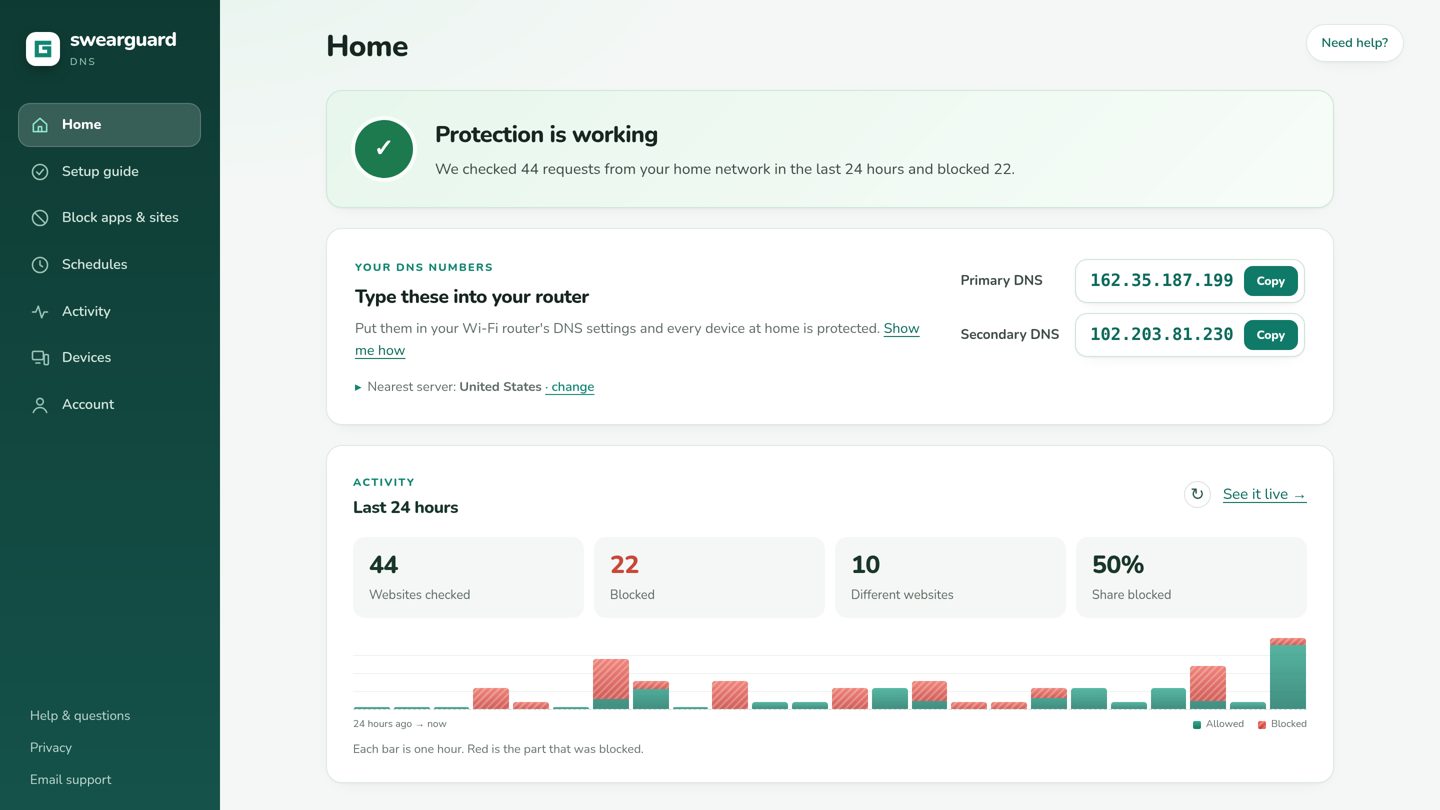
The SwearGuard DNS home screen showing protection is working, your DNS numbers and the last 24 hours of activity
How it works

Three easy steps

1

Sign up

Create your account and choose what to block: ads, adult sites, gambling, apps and games.

2

Set your router

Copy two numbers into your Wi-Fi router. Our guide shows you where, step by step.

3

Relax

Every device on your Wi-Fi is protected. Change rules any time; they apply in seconds.

Questions

Good to know

Do I need to install anything?

Not for your home Wi-Fi: you only change the DNS numbers on your router. Phones and laptops that leave the house can get a small setup so they stay protected on mobile data and other Wi-Fi.

Will it slow my internet down?

No. Blocking happens when a website's address is looked up, which takes milliseconds. Pages often load faster because ads are no longer downloaded.

Does it block every ad?

It blocks ads and trackers that come from separate ad servers, which is most of them. Ads served from the same address as the video or page itself (for example inside some video apps) can't be told apart and still show.

Can my child switch it off?

On the router it's set for the whole home. Our setup guide also shows how to stop devices changing their own settings.

What do you keep about us?

Your account and your rules. Activity history is off by default; if you turn it on it's kept for at most 7 days and only you can see it. We never use it for advertising.

Give your family a calmer internet

SwearGuard DNS is in private beta. Ask for an invite and we'll get you set up.

Request an invite